
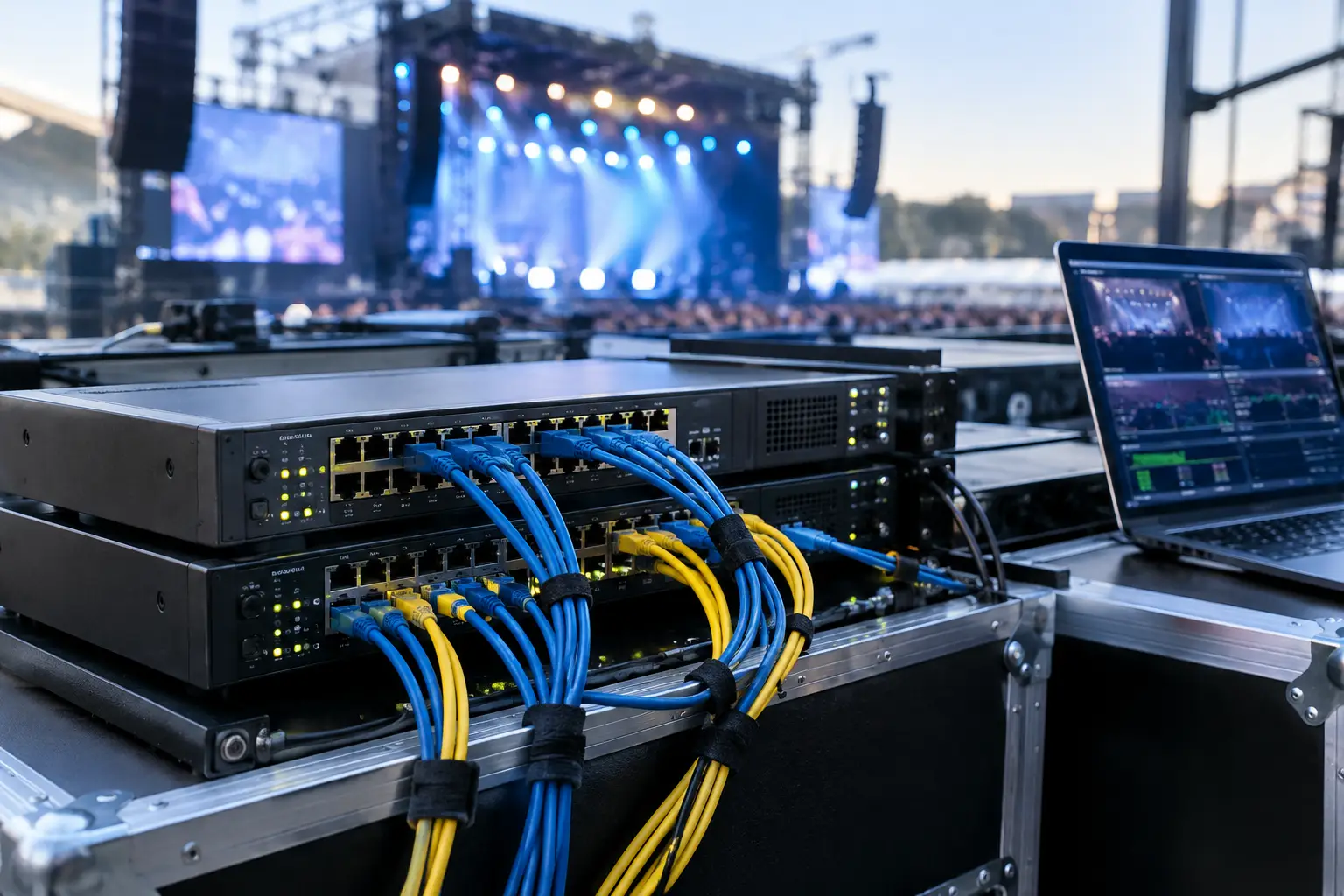
A speaker walks into the ready room 12 minutes before session start with a revised deck, a 1.8 GB video, and the phrase every operator knows too well: “This is the final version.” At that moment, a network outage is not an IT inconvenience. It is a program risk.
This live event network redundancy guide is built for the people responsible for getting files, confidence feeds, show control, and communications where they need to be - on time, in the correct room, and with a recovery path already in place. The goal is not to build an enterprise data center inside a ballroom. It is to remove single points of failure from the workflows that can stop a session.
Why live event network redundancy matters
Conference networks are often assembled under pressure. The venue may provide internet access, a production VLAN may be added late, and temporary switches, access points, and operator stations may appear as the room build develops. Each addition can be useful. Each can also become an undocumented dependency.
For presentation delivery, the most common mistake is treating internet access as proof that the network is ready. It is not. A cloud folder may load quickly during setup, then become unavailable when hundreds of attendees connect to the venue Wi-Fi. A remote support connection may be useful, but it should not be required for a speaker room to send a corrected deck to Ballroom C.
Redundancy means more than buying a second switch. It means designing the workflow so a single failed component, bad cable, power interruption, or misconfigured network setting does not prevent the show team from doing its job. The right design depends on event scale, venue constraints, and the systems in use, but the principle stays the same: the show-critical path must remain local, controlled, and testable.
Start with the failure modes
Before specifying equipment, identify what can realistically fail during the event. This should be a short operational discussion between the AV lead, network lead, speaker ready room manager, and room operators. Focus on the workflows that must continue during doors, sessions, and turnovers.
Typical failure points include:
- Venue internet loss or severe congestion
- A failed switch, power supply, uplink, or network port
- A damaged or disconnected cable on a temporary run
- Accidental changes to VLANs, DHCP, firewall rules, or Wi-Fi settings
- A device joining the wrong network or receiving an unexpected IP address
Not every risk deserves duplicate hardware. A small single-room meeting with one operator may need a clean local LAN, a spare switch, and a documented manual fallback. A multi-room congress with simultaneous interpretation needs more deliberate separation, monitored uplinks, and clear recovery procedures. The costly mistake is not choosing a modest design. It is assuming an untested design will recover itself.
Separate show traffic from venue traffic
The strongest first decision is to keep show-critical traffic off the general venue network wherever possible. Presentation delivery, operator communications, stage timing, and interpreter slide synchronization should not compete with guest browsing, exhibitor devices, or unknown systems brought online by other suppliers.
Build a dedicated local production network for the systems that need to work during the program. It can have controlled access to the internet if remote support or approved cloud services are necessary, but the core workflow should continue if that connection disappears. Use managed switches and VLANs when the production network carries several types of traffic. This lets the team isolate presentation delivery from less predictable devices without building separate physical networks for every function.
Design the path, not just the hardware
Draw the route a revised presentation takes from speaker intake to the room operator. Include every dependency: the sender device, switch, fiber or copper uplink, receiving workstation, storage location, and the operator notification method. If any part of that route has only one option, decide whether it is acceptable or needs protection.
A spare switch in a flight case is useful, but it does not help if nobody knows which ports serve the speaker room, which VLAN the operator machines require, or how to restore the configuration. Label connections at both ends. Keep a current port map. Save switch configurations before show days and keep an offline copy with the technical documentation.
Build a practical redundant network design
For many conferences, a primary wired LAN plus a prepared standby path is the best balance of reliability and complexity. The primary path carries normal show traffic. The standby path is independent enough to be useful, yet simple enough for the crew to activate quickly.
Start with two managed switches where the workflow justifies it. Place them on separate power sources when available, preferably with UPS protection for the core network equipment. Avoid connecting both switches in a way that creates an unmanaged loop. Redundancy without proper network design can produce broadcast storms and make a working network fail faster than a single broken cable.
Where rooms are distributed across a large venue, consider diverse cable routes for critical uplinks. Two cables installed side by side under the same door threshold are not truly redundant. A cart, door, or hurried cable pull can take out both. If the building infrastructure allows it, use separate routes or maintain a tested spare link that can be deployed without interrupting active sessions.
For operator positions, wired Ethernet should be the default for presentation delivery. Wi-Fi is valuable for mobility, temporary access, and selected devices, but it is more exposed to interference, density changes, and venue configuration changes. If a wireless path is required, use a dedicated access point and SSID for production use rather than relying on attendee Wi-Fi.
IP addressing also matters. DHCP is practical when it is controlled and documented. Reservations can help for fixed operator stations, network printers, and critical appliances. Static addressing can work well in a disciplined setup, but it creates its own risk when devices move between rooms or technicians reuse an address. Choose the approach your team can support under pressure, then document it.
Protect the presentation delivery workflow
Presentation logistics need redundancy at the workflow level, not only at the network level. A duplicate network path is of limited value if the latest file is stored on one unattended laptop or if room operators cannot tell which revision is approved.
Use a local delivery system that routes content directly from the speaker room to the assigned operator station over the LAN. The system should make room ownership, transfer status, and file version visible to the people running the show. It should not depend on a public cloud sync cycle, shared email inbox, or USB handoff to complete the last-mile delivery.
Kondukto is designed around this type of local event workflow: content moves from the slide room to the right room operator across the event LAN, with agenda and room context built into the process. That reduces the number of manual decisions required when a speaker arrives with an update minutes before stage time.
Keep a local copy of approved content at the operator position, and define what happens when an update arrives during a live session. In some programs, the operator can receive and queue the new file immediately. In others, especially keynote sessions with complex video playback, the right procedure may be to hold the update until a planned transition. Redundancy includes protecting the operator from unnecessary last-minute changes.
For multilingual events, include interpreter booths in the design review. Slide synchronization depends on dependable local connectivity and accurate room mapping. A redundant path should preserve the connection between the active presentation source and the booths, or provide a clear fallback method if the primary synchronization route is unavailable.
Test failover as a show procedure
A network design is only redundant when the crew has tested the failure and recovery process. Do this before speakers arrive, not during a live panel.
Run a controlled test from the speaker room to a sample operator machine in every room. Transfer a deck with embedded video or other realistic files. Confirm the recipient sees the correct room assignment, receives the file, and can open it from the expected local location.
Then remove one element at a time. Disconnect a primary uplink. Power down the primary switch if the design allows it. Disable the internet connection. The team should observe what stops, what continues, and how long recovery takes. Record any manual action required, including cable moves, switchovers, or changes to device settings.
This test often exposes issues that a connectivity check misses. A backup switch may have an outdated VLAN configuration. A standby cable may terminate in the wrong room. An operator workstation may be using a network adapter with a manually entered gateway that no longer applies. These are manageable problems during setup. They are show-stopping problems at 9:58 a.m.
Assign ownership for each recovery action. The speaker room manager should not have to troubleshoot a switch. The room operator should not be responsible for guessing whether a revised deck transferred successfully. The network lead should know who can authorize a failover and how the affected teams will be informed. Short, direct communication matters: “Room 4 is on backup LAN. Transfers are active. Do not reconnect devices until advised.”
Use the right amount of redundancy
More redundancy is not automatically better. Every additional switch, uplink, VLAN, wireless bridge, and failover rule adds setup time and potential configuration error. For a compact program, a simple isolated LAN, quality cabling, UPS-protected core equipment, a spare preconfigured switch, and an offline copy of the day’s approved content may be the correct answer.
For a major multi-room conference, invest in independent core paths, managed infrastructure, clear segmentation, tested spare equipment, and a crew plan that covers failure scenarios. The scale should match the consequence of interruption. A session that can pause for two minutes has different requirements from a broadcast keynote with six language channels and no tolerance for delay.
The useful question is not, “Do we have backup equipment?” Ask, “If this component fails during a live session, can the right person restore the workflow without improvising?” Build for that answer before the first speaker enters the ready room.